"How many times did they actually train this month?"
Coach Mode
Every athlete, measured.
The coach panel for your academy.
Your athletes log their training in The Guard BJJ app. You see the real data in your browser: prescribed vs. executed, week by week, with their consent.
Rafael Mendes
purple · this week
4/4 Sessions done
0 Intensity off target
1080 kcal this week
Z2 Dominant zone
Prescribed vs. executed for every session. The panel gives the verdict.
Where the data comes from
It starts in the athlete's app
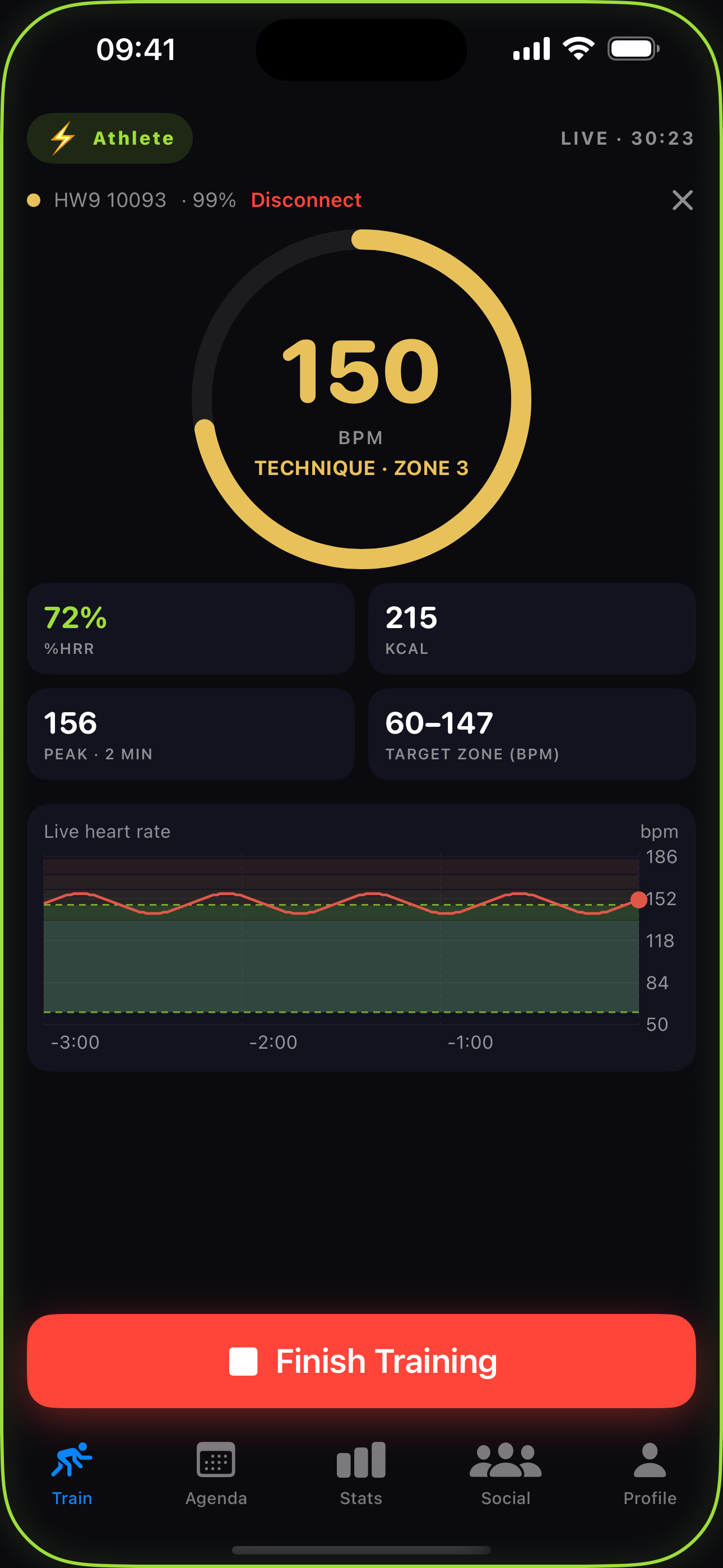
Your athletes train with a heart rate band and Athlete Mode on. Every session they save is what feeds your panel.
-
Band connected
They train with a Bluetooth heart rate band, so every beat is real effort, not an estimate.
-
Pre-workout check-in
A quick check-in before rolling captures how they arrived and what the day is for.
-
The session, saved
Blocks, heart rate, calories, and the day's game get saved and shared straight to your panel.
You only see your athlete on the mat.
Off the mat, everything becomes a guess:
"Did the session hit the intensity I asked for, or was it just sweating?"
"Are they submitting more than they're getting caught?"
"Time to push harder, or to hold back before it turns into an injury?"
Today the answer is "I think so." Coach Mode turns it into a number.
Three steps, consent first.
- Invite. You invite the athlete by e-mail, straight from the panel.
- Athlete accepts. The invite shows up in their app. They accept or decline. The decision is theirs.
- Follow. Their sessions start showing up in your panel, week by week.
The athlete can revoke access at any time. They decide who follows their training.
For the athlete
Trains with the heart rate band and Athlete Mode on, in the app they already use (iOS and Android). Sees the plan you built, right in the pre-workout check-in.
For the coach
A panel in the browser. Works on desktop and phone, nothing to install. In English and Brazilian Portuguese.
A heart rate band is required for full monitoring. Without it, there's no intensity data.
In the panel
Every session, block by block
Warm-up, drilling, and sparring split automatically, each with its own average heart rate.
Block detail
45 min session
warm-up · 8 min119
drill · 10 min139
rolling · 25 min146
-
Blocks, split automatically
The Guard reads the heart rate curve and separates warm-up, drilling, and sparring on its own.
-
Average heart rate per block
Every block carries its average heart rate, so you see where the effort actually went.
-
Prescribed vs. executed
The panel gives the verdict on each session: on target or off, with the percentage of time in the prescribed zone.
In the panel
The submission game, in numbers
Finishes by technique, attack against defense, and the go-to submission of the month.
Submission game
Finishes by technique · this month
Rear naked choke5
Armbar4
Triangle2
Kimura1
12 finishes
9 escapes
-
Finishes by technique
Every submission the athlete lands, ranked, so their real game is easy to read.
-
Attack vs. defense
Finishes against escapes tells you whether they submit more than they get caught.
-
Favorite finish
The go-to submission of the month, front and center.
Also in the panel
Monthly readings
The Guard turns the month into ranked signals, each with a practical training suggestion, always compared with the month before.
The Athlete Mode layer
How the athlete performs rested vs. tired, and where the mat time went this month: sparring, drilling, rest.
Weekly training plans
Intent and target zone for each day of the week. Assign the plan to several athletes at once; adherence comes back to your panel as a percentage.
Built for the coach, with respect for the athlete.
Privacy by default
Only athletes who accepted the invite appear. Personal notes and photos never reach the coach.
Consent first
Nothing is shared until the athlete says yes, and access can be revoked at any moment.
In your language
The whole panel exists in English and Brazilian Portuguese.
Frequently asked questions
What does the athlete need?
The Guard BJJ app (iOS or Android), a heart rate band (we recommend forearm bands like the Coospo HW9), and Athlete Mode turned on.
Can the coach see everything about the athlete?
No. Only athletes who accepted the invite appear in the panel. Personal notes and photos never reach the coach, and access can be revoked at any time.
How do I get coach access?
Coach access is activated by The Guard BJJ team. Write to hello@theguardbjj.app and get a demo with your academy.
Does the panel work on a phone?
Yes. The panel runs in the browser, on desktop or phone. Nothing to install.